
Download New Tab King – Fast Firefox New Tab Manager, Free & Secure
Overview
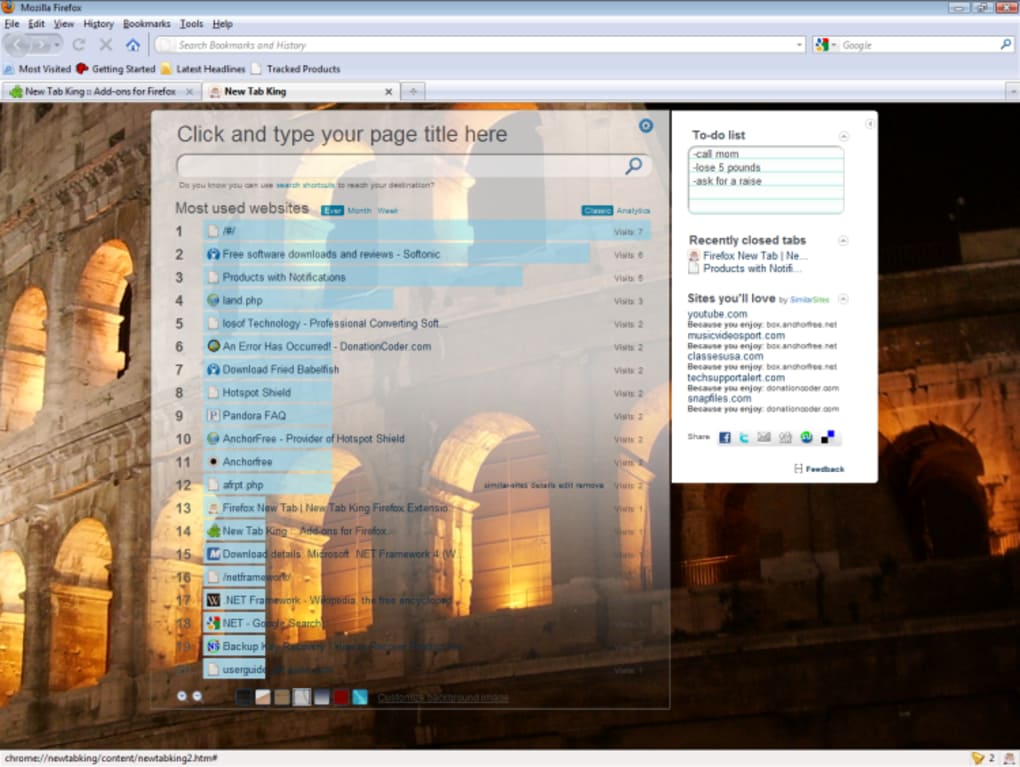
New Tab King is a purpose‑built Firefox add‑on that transforms the empty canvas of a new tab into a powerful launchpad for everything you use most on the web. Instead of staring at a bland page, you are greeted with a dynamically ordered list of your most frequently visited sites, a handy sidebar packed with a to‑do list, quick‑access shortcuts, recently closed tabs, and even personalized suggestions called “Sites You’ll Love.” The add‑on doesn’t just display links; it provides built‑in analytics that tell you how often you visit each site and lets you filter the ranking by day, week, month, or all time. Customisation is at the heart of New Tab King – you can edit titles, remove unwanted entries, reorder thumbnails, and switch between a variety of skins or upload your own background image. Recent updates have fixed bugs around the recently closed tabs pane, added a host of new search engines to the configuration panel, and introduced a flexible thumbnail count setting. In short, New Tab King turns a simple new‑tab page into a personalised dashboard that saves clicks, improves productivity, and keeps your favorite resources just a click away.
Key Features
- Dynamic Most‑Visited List – Automatically orders sites by frequency, with options to view weekly, monthly or overall stats.
- Customisable Sidebar – Hosts a to‑do list, “Sites You’ll Love” recommendations, recent tabs, sharing shortcuts, and app launchers.
- Editable Entries – Change titles, hide sites, or delete entries you no longer need directly from the new‑tab view.
- Analytics Dashboard – Shows visit counts per site and lets you filter the data by different time periods.
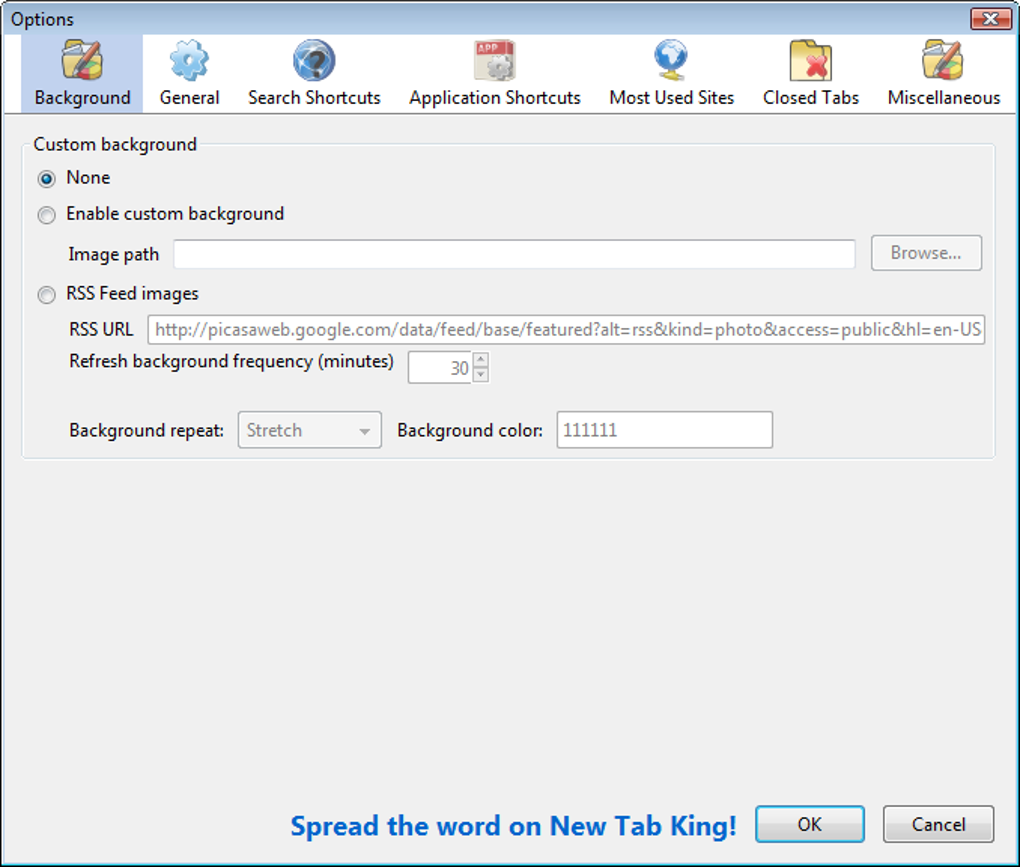
- Skin & Background Options – Choose from pre‑made skins or upload a personal image for a visually appealing start page.
- Thumbnail Control – Adjust the number of site thumbnails displayed to match your screen real‑estate.
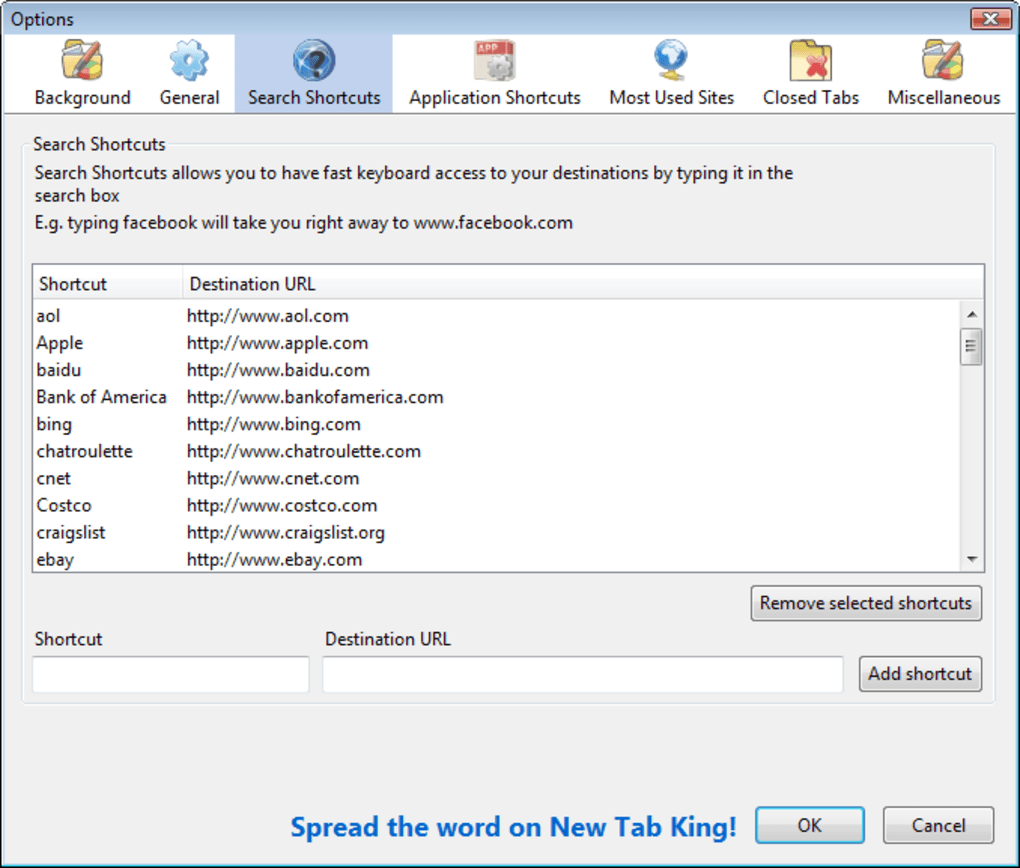
- Extended Search Engine List – New Tab King now supports dozens of additional search engines for instant queries.
- Secure & Lightweight – Built with Mozilla’s WebExtension APIs, it respects privacy and adds minimal load time.
- Frequent Updates – Automatic updates via the Firefox Add‑Ons store keep the tool secure and feature‑rich.
Installation, Usage & Compatibility
Installing New Tab King is a straightforward process that takes less than a minute. Open Firefox, navigate to the official Mozilla Add‑Ons page, search for “New Tab King,” and click the Add to Firefox button. After granting the required permissions, the add‑on will appear as an icon in the toolbar and will automatically replace the default new‑tab page. No separate installer or external executable is required, making the download completely free and secure.
Once installed, the first time you open a new tab you will see the default layout with a list of your most‑visited sites and the right‑hand sidebar. To customise, click the gear icon in the top‑right corner. From the settings panel you can:
- Adjust the number of thumbnails shown.
- Choose a skin or upload a custom background image.
- Enable or disable sidebar widgets such as the to‑do list or recent tabs.
- Set the ranking period (daily, weekly, monthly, all time).
- Manage the list of built‑in search engines or add your own.
New Tab King is fully compatible with the current stable release of Firefox on Windows, macOS, and Linux. Because it runs as a WebExtension, it also works seamlessly on Firefox for Android, though the sidebar is condensed to a bottom drawer to suit mobile screens. The add‑on respects Firefox’s privacy model, storing all analytics locally on your device; no data is sent to external servers unless you explicitly enable a sharing feature.
Pros
- Instant access to frequently used sites saves time.
- Highly customisable appearance matches personal workflow.
- Built‑in analytics give insight into browsing habits.
- Lightweight, no noticeable performance impact.
- Free, open‑source, and regularly updated.
Cons
- Only available for Firefox; Chrome users need a different solution.
- Advanced customisation (e.g., custom CSS) requires manual editing.
- Sidebar can feel crowded if many widgets are enabled.
Compatible with Windows 10/11, macOS 10.15+, Linux distributions, and Firefox for Android.
FAQ & Conclusion
Is New Tab King completely free?
Yes, New Tab King is offered at no cost. All features, including skins and analytics, are available without a premium upgrade.
Can I sync my New Tab King settings across devices?
Settings are stored locally in the Firefox profile. If you use Firefox Sync, your add‑on data—including New Tab King configuration—will be synced automatically.
Does the add‑on collect any personal data?
All visit statistics are kept on your device. New Tab King does not transmit browsing data to external servers unless you enable the optional sharing widgets.
How do I change the background image?
Open the settings panel, go to the “Appearance” tab, and choose “Upload custom background.” Select an image from your computer and save; the new tab page will refresh with your image.
Will New Tab King slow down my browser?
The add‑on is lightweight and loads only when a new tab is opened. Users report negligible impact on browser performance, even with multiple sidebar widgets enabled.
In summary, New Tab King delivers a fast, secure, and visually appealing solution for anyone who wants their new‑tab page to work harder. By centralising your most‑visited sites, offering a versatile sidebar, and providing deep customisation options, it eliminates the need for multiple extensions or bookmark clutter. Whether you’re a power user looking for analytics or a casual surfer who simply wants quick access to favorite sites, New Tab King adapts to your workflow. Download New Tab King today from the Firefox Add‑Ons store and experience a smoother, more organised browsing experience from the very first tab you open.







